Healthcare organizations sit on exactly the data attackers want — and regulators know it. For practices and clinics across New York, New Jersey, and Connecticut, HIPAA isn’t a one-time checkbox; it’s an ongoing obligation that touches your network, your devices, and even your front door. This guide explains what HIPAA actually requires of your IT, the gap most practices miss, and how to stay both compliant and running.

Why healthcare is the number-one cyberattack target
A medical record is worth far more to a criminal than a credit card number, because it can’t be cancelled. The average healthcare data breach costs an organization well into six figures — most of it from downtime, recovery, breach notification, and regulatory penalties, not the incident itself. For a clinic, a ransomware event isn’t just an IT problem; it’s a patient-care emergency.
HIPAA’s three safeguard categories, explained
The HIPAA Security Rule organizes its requirements into three categories. A compliant IT program has to address all three — not just the technical layer.
| Safeguard category | What it covers | Examples |
|---|---|---|
| Technical | Controls on the systems that store and transmit PHI. | Encryption, MFA, access controls, audit logs. |
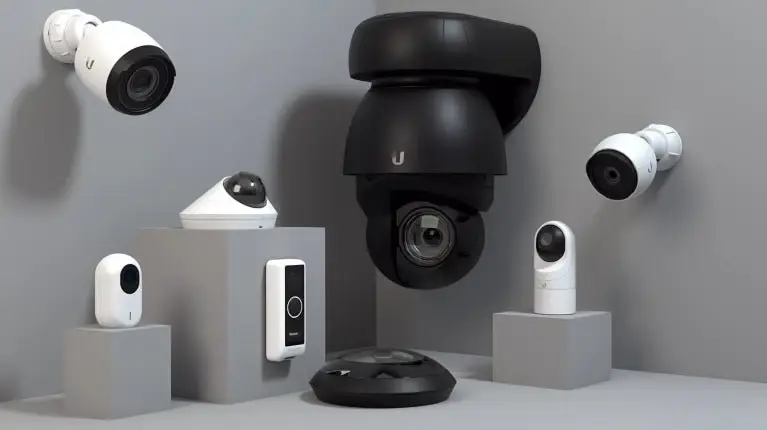
| Physical | Control over the physical spaces and devices where PHI lives. | Door access control, surveillance, device security. |
| Administrative | The policies, training, and oversight that tie it together. | Risk analysis, staff training, written policies. |
The physical safeguard most practices overlook
Most IT vendors secure the network and stop there. But HIPAA’s physical safeguards require documented control over who can access the spaces where PHI is stored or viewed — server rooms, records areas, and workstations. That’s why we pair IT with access control and surveillance: the same rigor on the door as on the firewall. Closing that gap is exactly what auditors look for and what most programs miss.
EHR uptime and support
Your EHR — whether Epic, Athenahealth, eClinicalWorks, or another — is the heartbeat of the practice. When it goes down, appointments stall and care is disrupted. Proactive monitoring, fast support, and tested backups keep your clinical systems available when patients need them.
The security stack HIPAA effectively requires
- Endpoint protection on every device that touches PHI.
- Email security and anti-phishing — the entry point for most breaches.
- Multi-factor authentication on every account.
- Encrypted, tested backups for fast recovery.
- Security-awareness training so staff become a line of defense, not a liability.
What an OCR audit looks for
If the Office for Civil Rights comes calling, the first thing they ask for is your risk analysis — documented proof you’ve identified where PHI lives and how it’s protected. Access logs, policies, and evidence of training follow. Compliance you can’t document is compliance you can’t prove.
A HIPAA IT compliance checklist
- Complete and maintain a documented security risk analysis.
- Encrypt PHI at rest and in transit.
- Enforce MFA and role-based access.
- Control and log physical access to spaces where PHI lives.
- Back up and test recovery regularly.
- Train staff and keep records of it.
Most compliance programs secure the network and forget the door — but HIPAA protects patient data wherever it lives, including the room it’s stored in.
Solved IT Tweet
How Solved IT keeps healthcare practices compliant and running
Solved IT delivers healthcare IT, security, and HIPAA compliance as one program — the technical stack, the physical safeguards, and the documentation an auditor expects, all under the same unified compliance management.
Want to know where you stand before an auditor or attacker finds out? Start with a free vulnerability assessment — no obligation.